Products
Products is the read-only catalogue of everything you are allowed to sell under your contracts. Use it to check whether a product exists at an airport, to confirm which contract carries it, and to export the catalogue for your own systems.
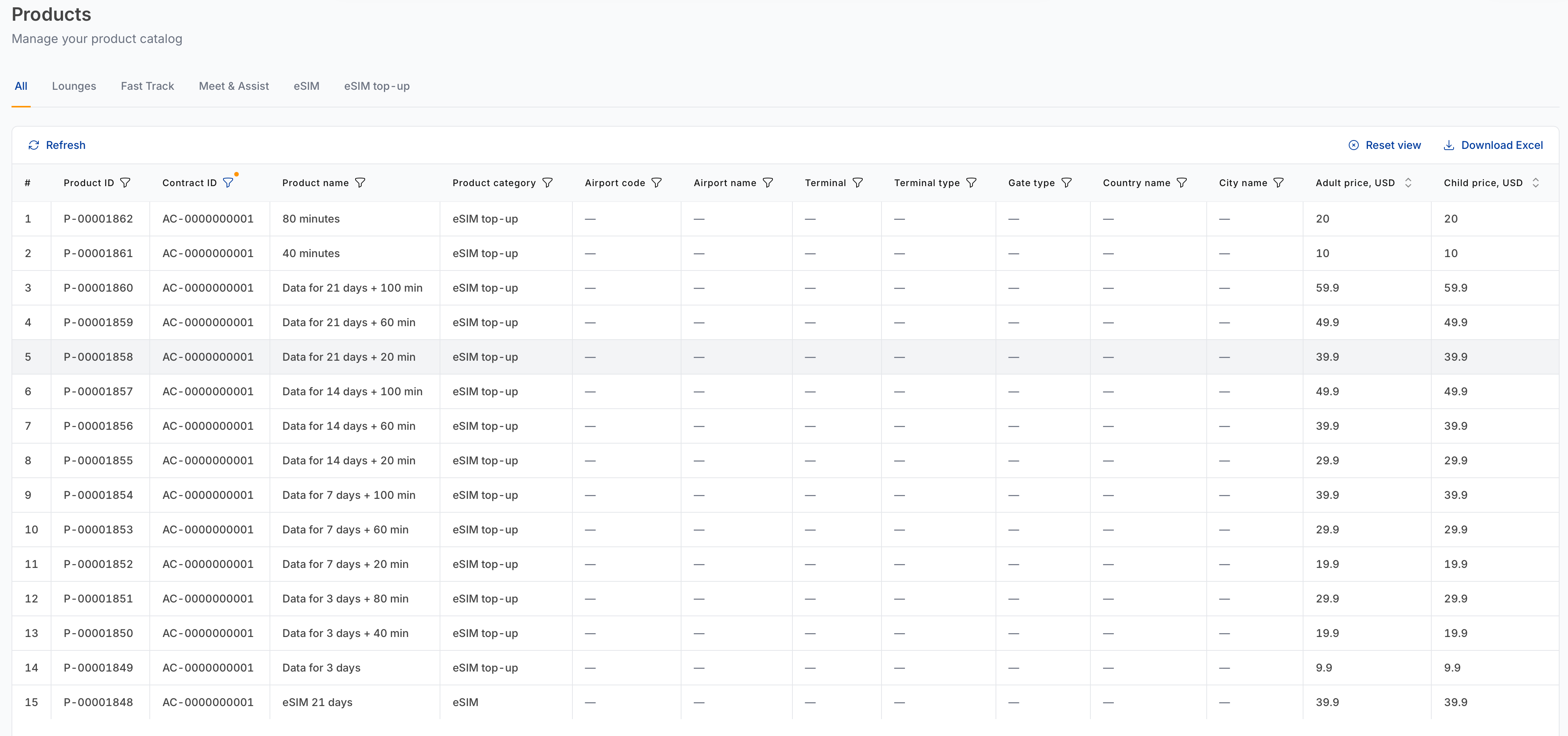
Category tabs
| Tab | What it lists |
|---|---|
| All | Every product across every category. |
| Lounges | Lounge access products. |
| Fast Track | Expedited security and formalities products. |
| Meet & Assist | Personal meet-and-greet services. |
| eSIM | eSIM data plans. |
| eSIM top-up | Top-up packages for existing eSIMs. |
Columns
| Column | What it shows |
|---|---|
| # | Row number in the current view. |
| Product ID | Catalogue identifier, for example P-00003280. |
| Contract ID | The contract the product is offered under. |
| Product name | The product as it appears to buyers. |
| Product category | Lounges, Fast Track, Meet & Assist, eSIM or eSIM top-up. |
| Airport code | IATA code. — for eSIM products, which are not airport-bound. |
| Airport name | Airport the product sits in. |
| Terminal | Terminal, where applicable. |
| Terminal type | Departure, Arrival or Transit. |
| Gate type | Domestic or International. |
| Price | Price per passenger type. |
Sorting, column filters, pagination and Download Excel work as described in Working with tables.
note
If a product appears here but you cannot find it in Create order, check the Contract selector — the product may belong to a different contract than the one you have selected.
Staying informed about catalogue changes
Products come and go. Two mechanisms tell you when that happens:
- Webhooks — machine-readable callbacks for Product added, Product updated and Product removed.
- Settings — Notifications — email alerts for the same events, per contract.