Create order
Create order is where you sell. It is the first item in the sidebar and the starting point for every booking.
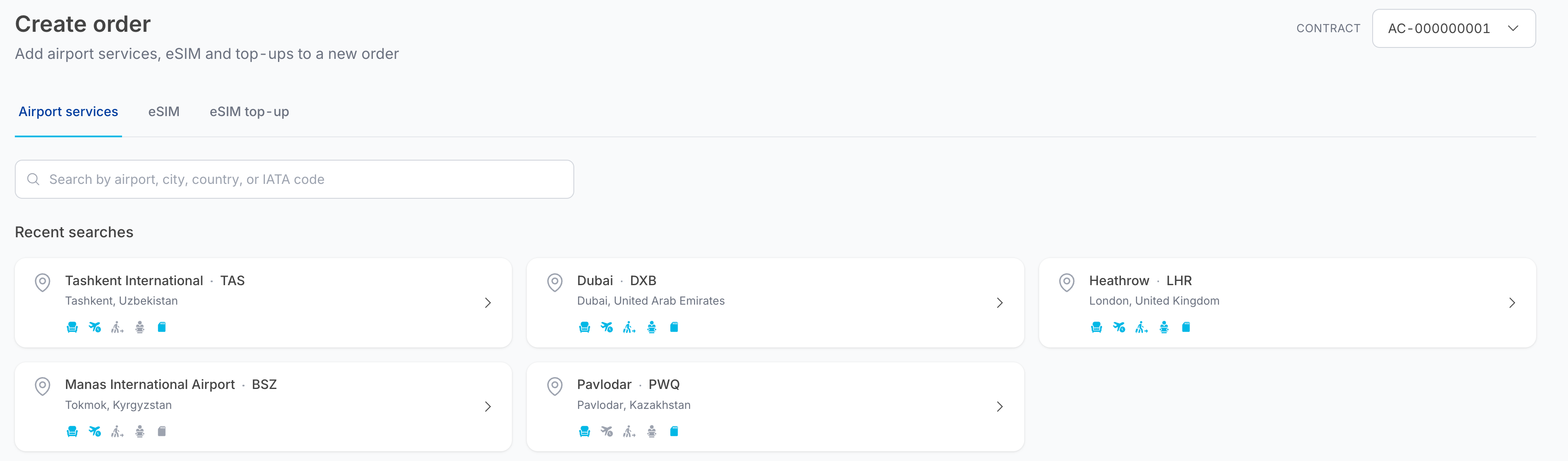
The three tabs
| Tab | What you sell | Guide |
|---|---|---|
| Airport services | Lounges, Delay Care, Fast Track and Meet & Assist at a specific airport | Lounges, Delay Care, Fast Track, Meet & Assist |
| eSIM | Data plans for a destination country | eSIM and top-ups |
| eSIM top-up | Additional data for an eSIM already sold | eSIM and top-ups |
How the flow works
- Pick the contract. The Contract selector in the top-right decides which catalogue, prices and balance apply. If you only have one contract there is nothing to choose.
- Search. Airport services are searched by airport; eSIMs by country.
- Choose products and quantities. Set the number of adults and children (and, for lounges, the duration of stay) directly on the product card.
- Add to cart. The cart panel on the right accumulates everything you add. You can keep searching — including at other airports — and keep adding.
- Checkout. Enter the visit date and passenger details for each item.
- Reserve the order and confirm payment. The total is deducted from the contract balance and the order appears in Orders.
See Checkout and payment for steps 5 and 6, which are the same whatever you put in the cart.
The cart
The cart panel sits to the right of the search results on every Create order screen.
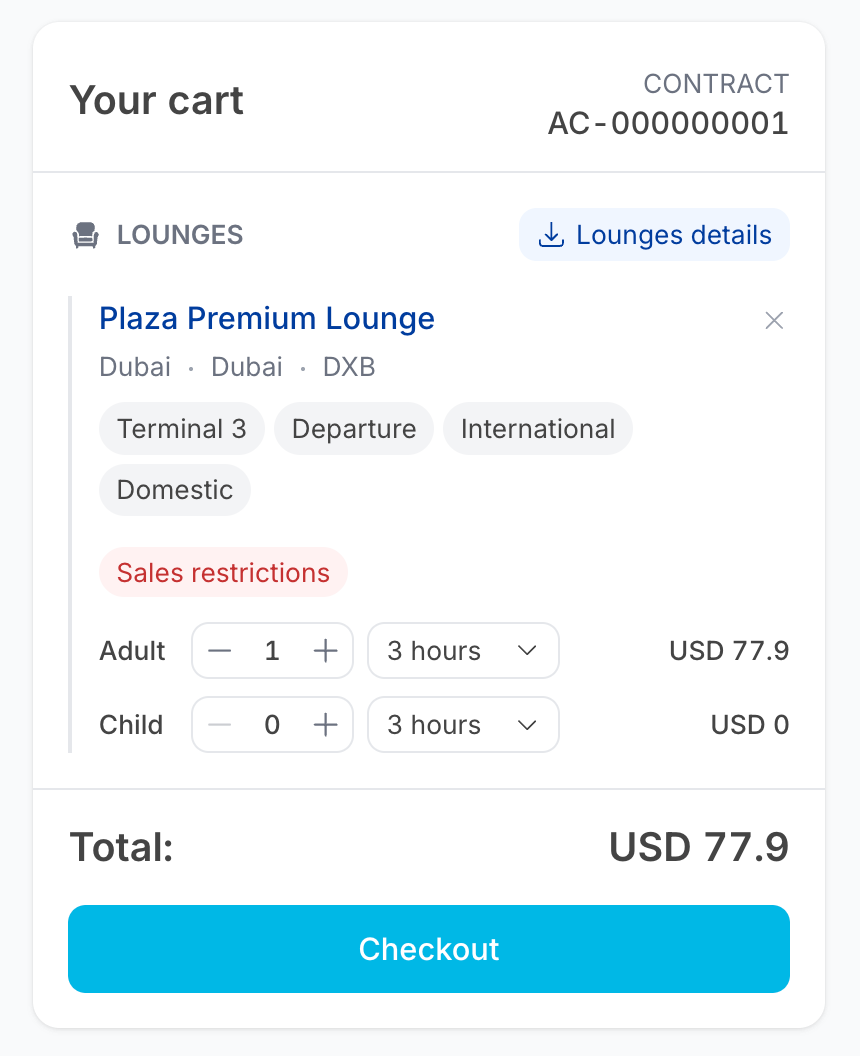
It shows:
- the Contract the order will be booked against;
- each added product, grouped by category, with its airport, terminal and tags;
- passenger counters, so you can adjust quantities without going back to the card;
- a × on each line to remove it;
- the running Total;
- the Checkout button, enabled as soon as the cart has something in it.
Some categories add a details link — for example Lounges details, which downloads a PDF brochure for the lounges in the cart.
note
The cart is tied to the selected contract. Switching contract clears it.
Order limits
- Maximum 10 visitors per order.
- Children under a certain age are admitted free with an adult — the exact age is shown on each product card, because it varies by product.