Transactions
Transactions shows the money movements behind your orders — one row per sale or refund. Use it to reconcile contract balance changes against bookings.
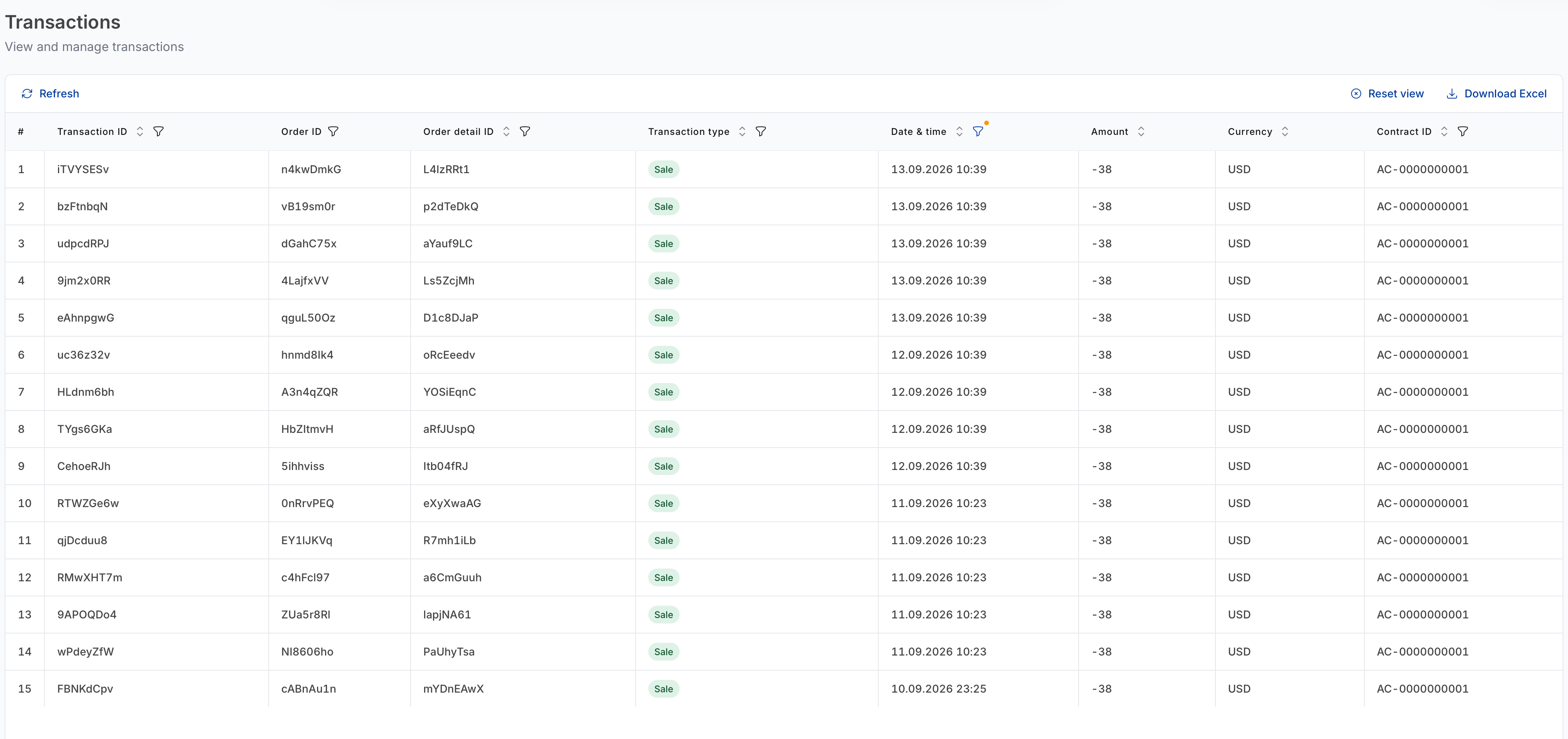
Sorting, column filters, pagination and Download Excel work as described in Working with tables.
Columns
| Column | What it shows |
|---|---|
| # | Row number in the current view. |
| Transaction ID | Unique identifier for this movement. |
| Order ID | The order it belongs to. |
| Order detail ID | The specific order item it belongs to. |
| Transaction type | Sale or Refund. |
| Date & time | When it was recorded. |
| Amount | The value of the movement. A Sale is negative — money leaving your contract balance. A Refund is positive. |
| Currency | Currency of the amount. |
| Contract ID | The contract debited or credited. |
| Author | The user who created the underlying order, or API. |
note
The Amount on a Sale is the net price — gross price less your commission — which is why it usually differs from the price shown on the product card. The gross figure, the rate and the commission are all in Order items.
Per-order transactions
To see the movements for a single order, open the order from Orders and switch to its Transactions tab. Same columns, scoped to that order.