Checkout and payment
Checkout is the same whatever is in the cart. Click Checkout in the cart panel to get here.
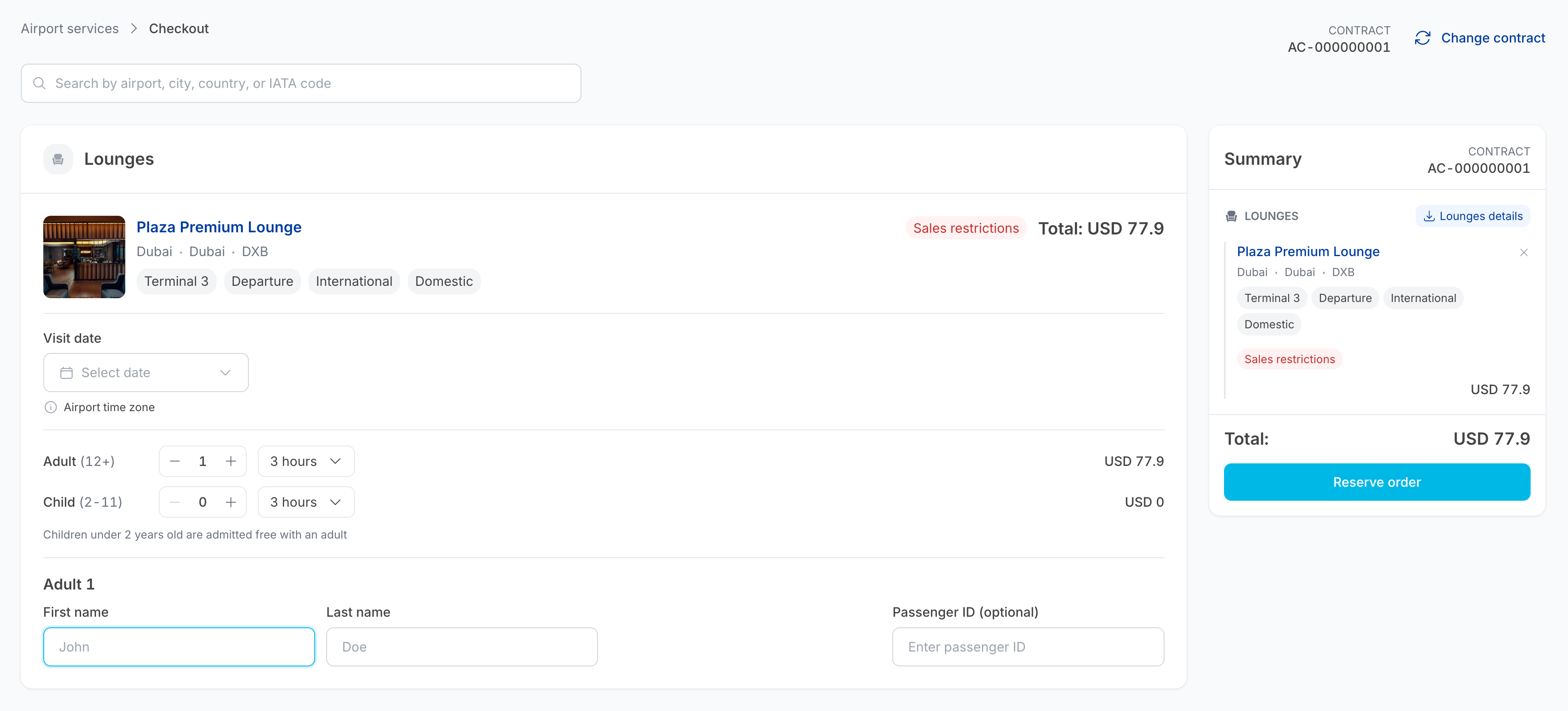
The page has two columns: the items on the left, one block per product, and the Summary panel on the right.
Fill in each item
Each item block repeats the product's identity — name, location, terminal tags — and then asks for what is needed to issue the voucher.
Visit date
Click Select date and choose the date from the calendar. Past dates and dates outside the product's booking window are disabled.
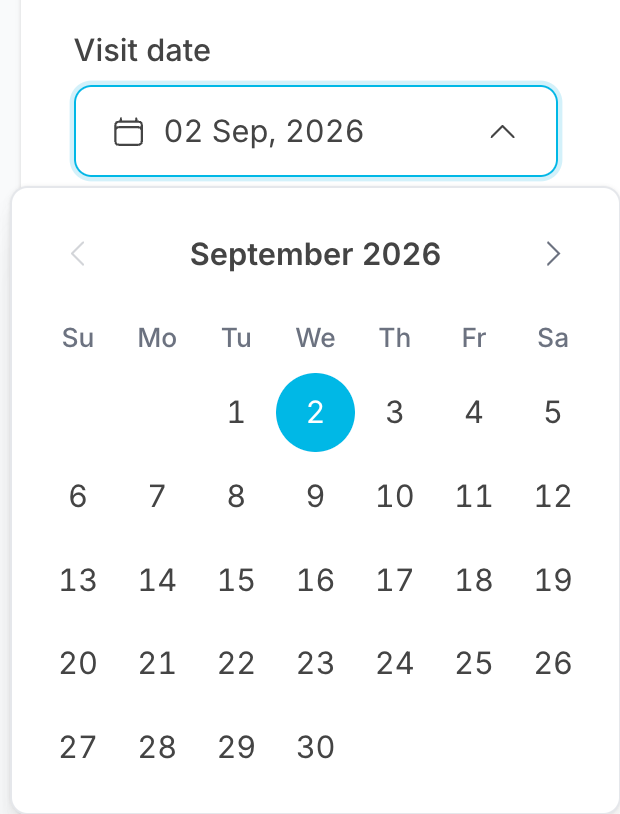
The visit date is in the airport's time zone, as stated under the field. For a red-eye flight, make sure you book the date the passenger actually arrives at the lounge.
Delay Care items use the flight's departure date instead, and eSIM items have no visit date at all.
Passengers and duration
The − / + counters and the duration dropdown are repeated here, so you can
still adjust quantities without going back to the search results. The totals update
live.
Passenger details
One block per passenger — Adult 1, Adult 2, Child 1, and so on.
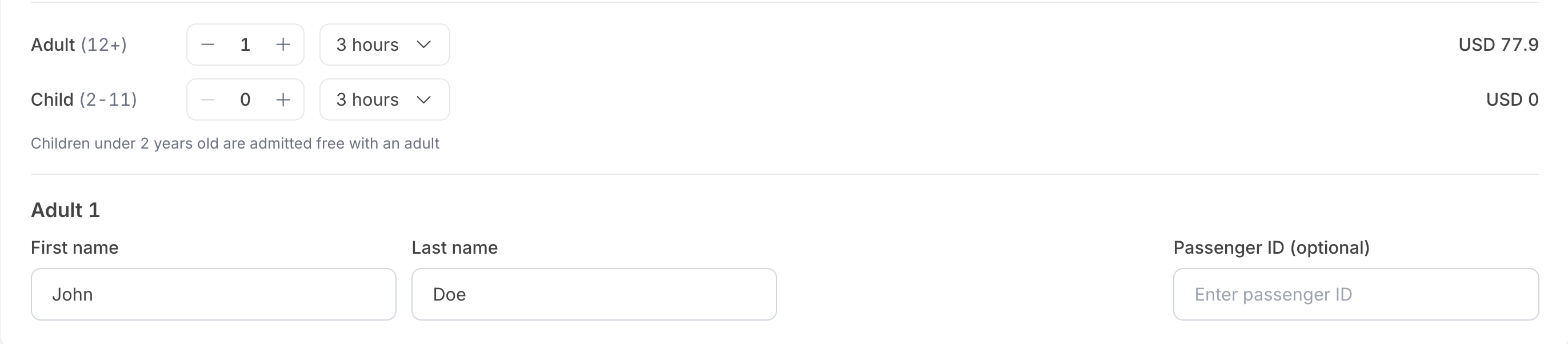
| Field | Required | Notes |
|---|---|---|
| First name | Yes | As it appears on the travel document. |
| Last name | Yes | |
| Passenger ID | Optional | Only shown if the Pax ID option is enabled on the contract — see Contracts. |
| Delay Care and eSIM | Where the voucher or eSIM is delivered. For Delay Care, this is the address used if the flight is delayed. |
Meet & Assist optional details
Meet & Assist items add two collapsible sections below the passenger details, Optional details and Special requests. Both are collapsed or expanded with the chevron in the top-right corner, and every field in them is optional.
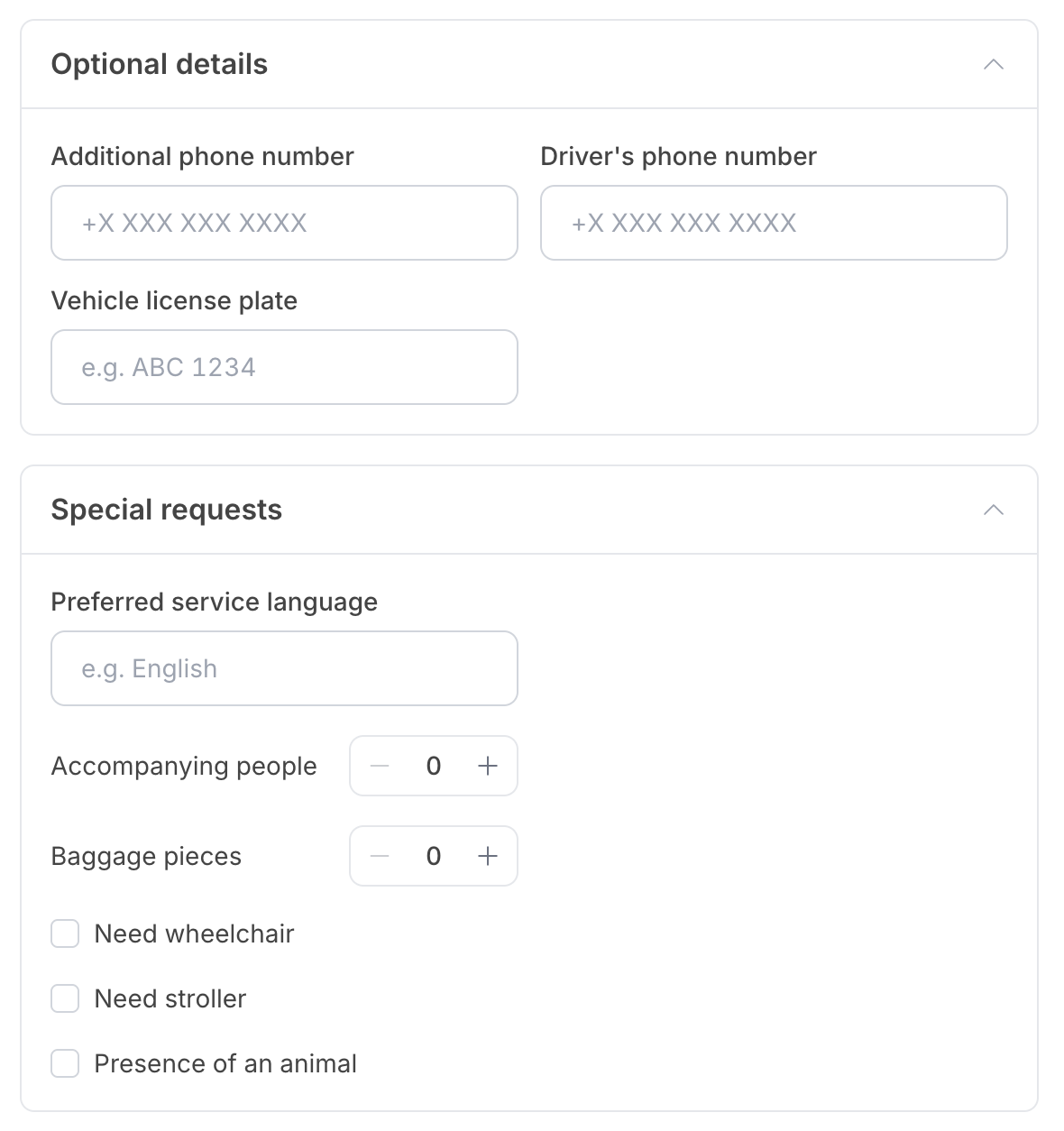
Optional details
| Field | Notes |
|---|---|
| Additional phone number | A second contact number for the passenger. |
| Driver's phone number | If a driver is picking up or dropping off the passenger. |
| Vehicle license plate | Lets the agent identify the vehicle. |
Special requests
| Field | Notes |
|---|---|
| Preferred service language | Free text, for example English. |
| Accompanying people | − / + counter, defaults to 0. People joining the passenger who are not part of the booking. |
| Baggage pieces | − / + counter, defaults to 0. |
| Need wheelchair | Checkbox. |
| Need stroller | Checkbox. |
| Presence of an animal | Checkbox. |
None of these fields affect the price.
eSIM items
eSIM items look different from the rest: there is no visit date and no passenger name fields. Instead, each item shows the plan and one block per traveller.
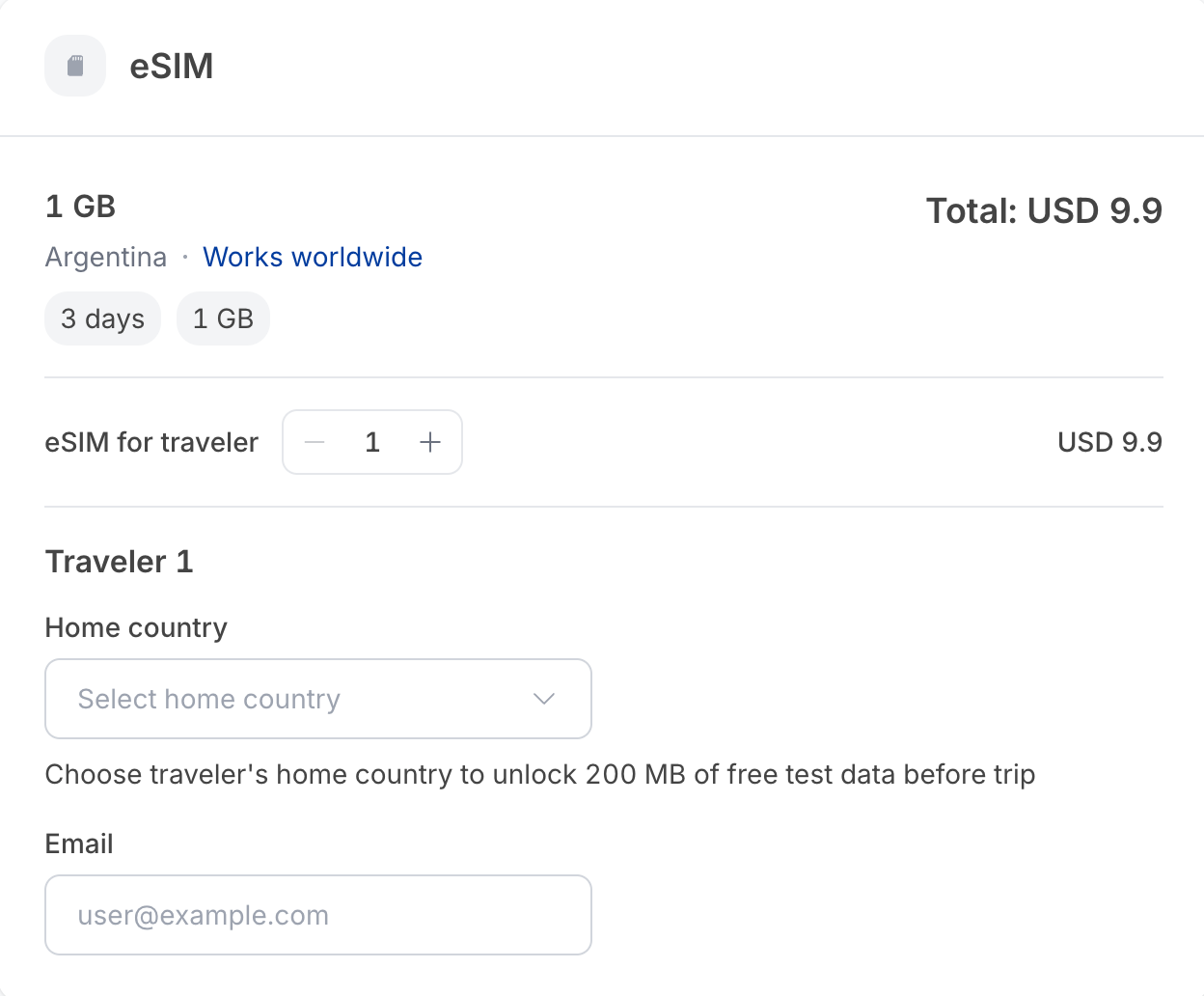
The item header repeats the plan — data allowance, destination, and its duration and data tags — with the item Total on the right. The Search by country field above it lets you add another eSIM without leaving checkout.
Below that, the eSIM for traveler −/+ counter sets how many eSIMs are
being sold, and one Traveler block appears per unit:
| Field | Required | Notes |
|---|---|---|
| Home country | Optional | Unlocks 200 MB of free test data for the traveller before the trip. |
| Yes | Where the eSIM is delivered. |
The Summary panel
The Summary panel lists every item with its price, the contract the order will be booked against, and the Total.
Some categories add a details download here — for example Lounges details, which produces a PDF brochure of the lounges in the cart.
Check every detail before you reserve. Names, dates and flight numbers cannot be edited after the order is placed — the item has to be refunded (where the product allows it) and rebooked.
Reserve and pay
-
Click Reserve order.
-
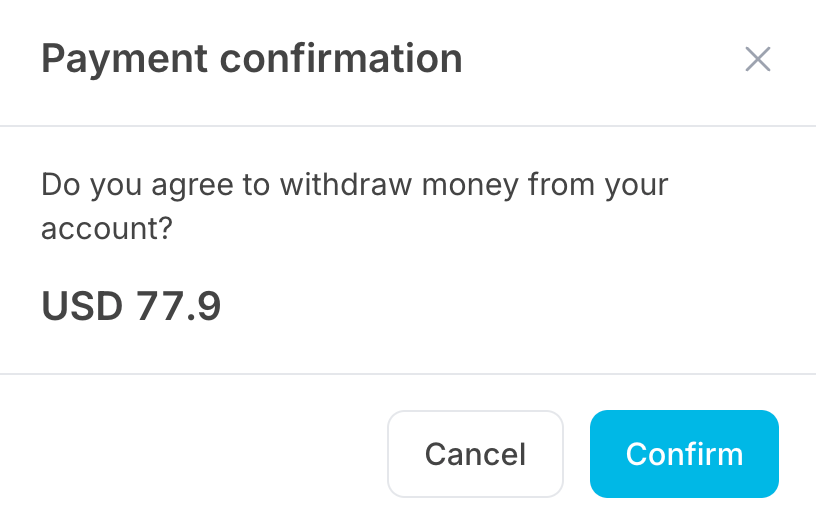
A Payment confirmation dialog appears: Do you agree to withdraw money from your account?, with the exact amount.
-
Click Confirm to place the order, or Cancel to go back without charging anything.
On success the portal takes you straight to the new order's detail page, where you can download or email the vouchers. See Orders.
The amount is deducted from the contract balance, not from a card. You can see the effect in Contracts and the matching Sale row in Transactions.