eSIM and top-ups
eSIMs are sold by destination country rather than by airport. They have their own tab on Create order, and also appear as an eSIM tab inside airport search results, so you can add one to a booking without leaving the flow.
Browse destinations
Open Create order — eSIM.
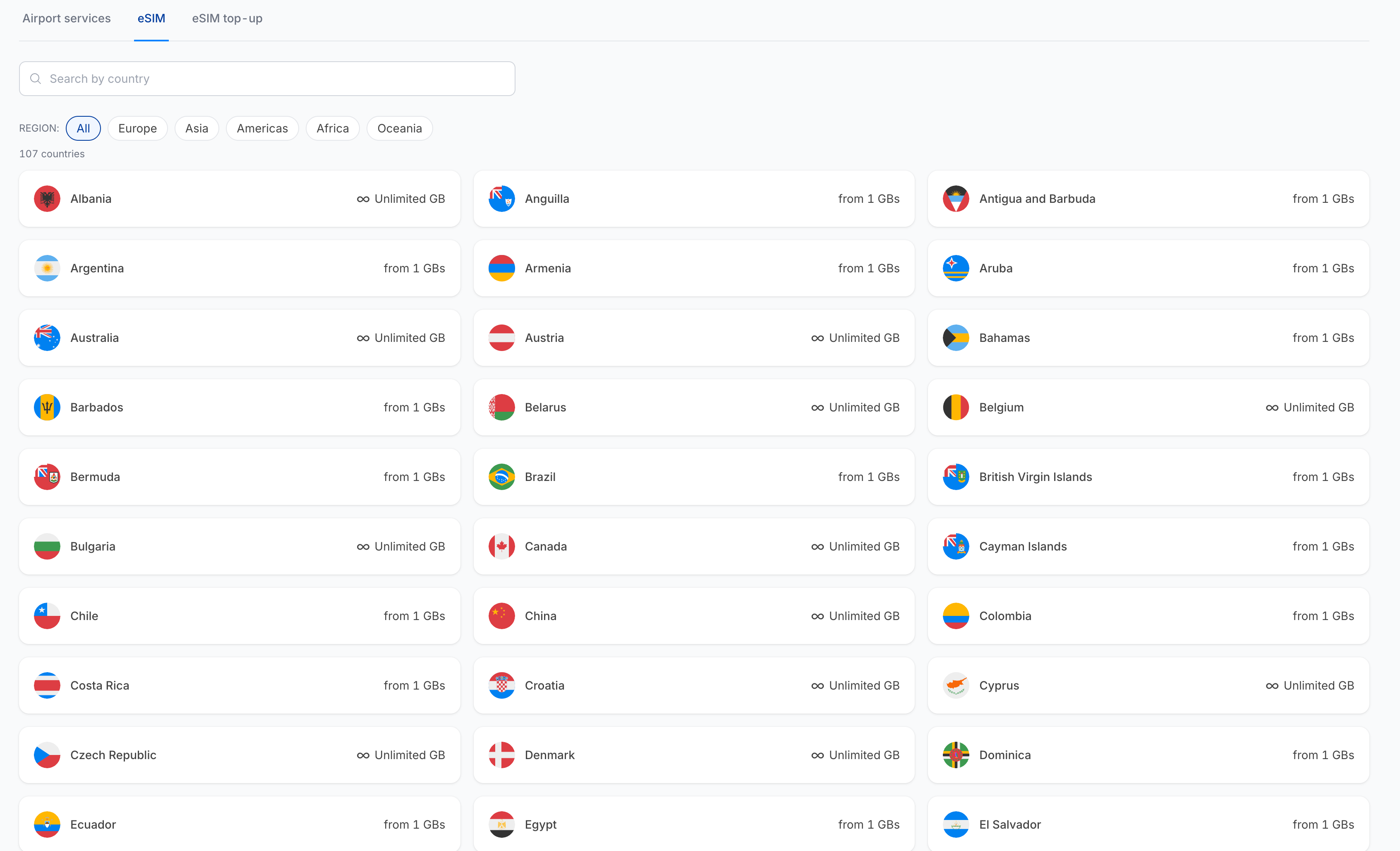
- Search by country — type to filter the list.
- Region chips — All, Europe, Asia, Americas, Africa, Oceania.
- The count under the chips tells you how many destinations are available under the selected contract.
Each destination card shows the country flag, its name, and the smallest plan available — either from 1 GBs or Unlimited GB.
Availability is per contract. If a country shows No eSIM packages available for this destination, check the Contract selector — another of your contracts may carry that catalogue.
Click a destination to see its plans.
Choose a plan
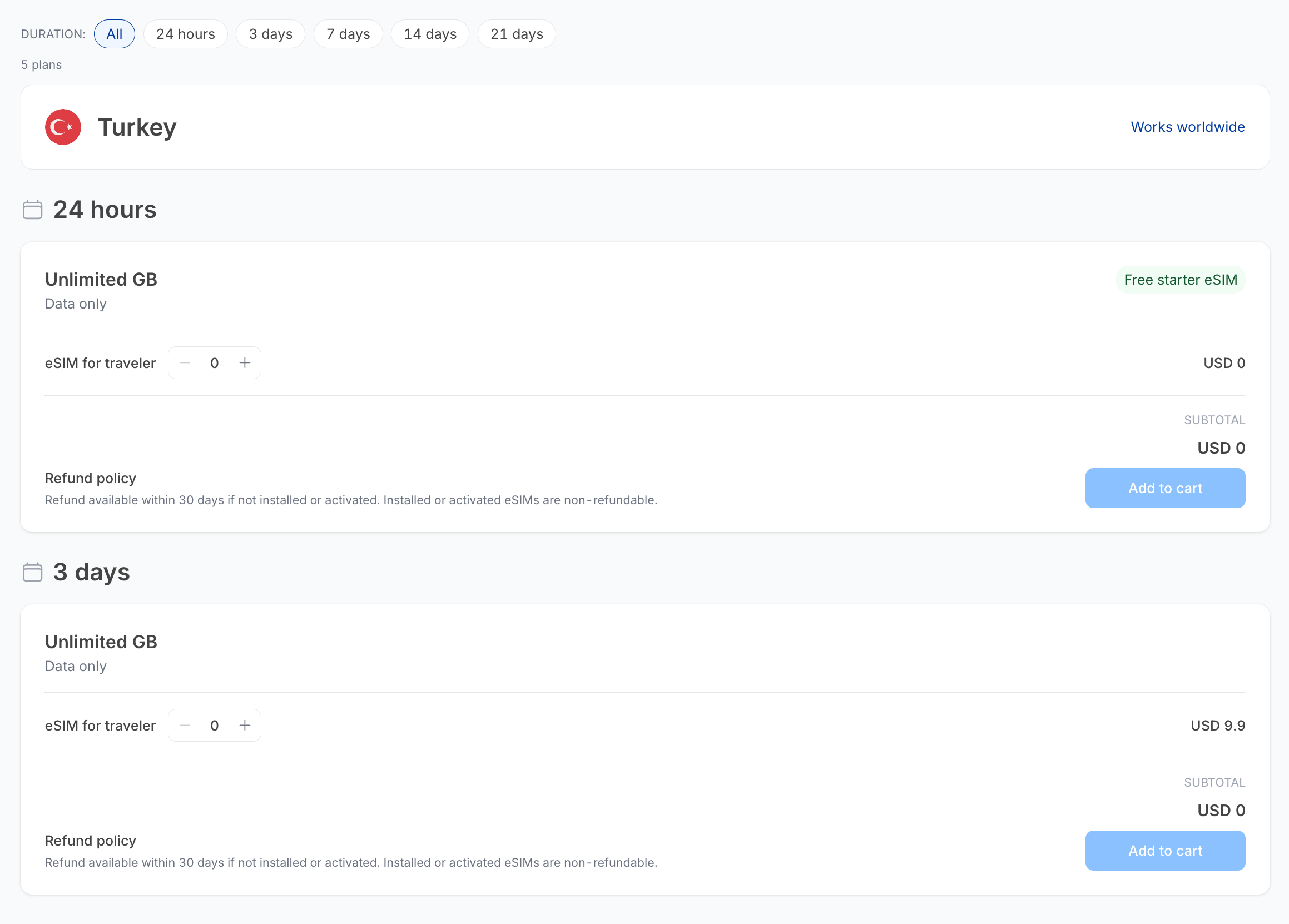
Plans are grouped by duration — 24 hours, 3 days, 7 days, 14 days, 21 days — and the Duration chips at the top filter to one group. The count line tells you how many plans match.
The destination header shows the country and, where applicable, a Works worldwide note for regional or global plans.
Each plan card shows:
| Part | What it shows |
|---|---|
| Data allowance | For example Unlimited GB, and whether the plan is Data only. |
| Badge | Free starter eSIM or Popular, where applicable. |
| eSIM for traveler | A − / + counter — one per traveller who needs an eSIM. |
| Price | Per eSIM. |
| Subtotal | Updates as you change the counter. |
| Refund policy | Varies by plan — see below. |
| Add to cart | Adds the plan to the cart. |
Refund rules
Refund terms differ between plans and are printed on each card. The two common forms are:
- The service is non-refundable.
- Refund available within 30 days if not installed or activated. Installed or activated eSIMs are non-refundable.
Always read the card. Once a traveller installs or activates the eSIM, it cannot be refunded.
eSIM top-up
Use Create order — eSIM top-up to add more data to an eSIM that has already been sold.
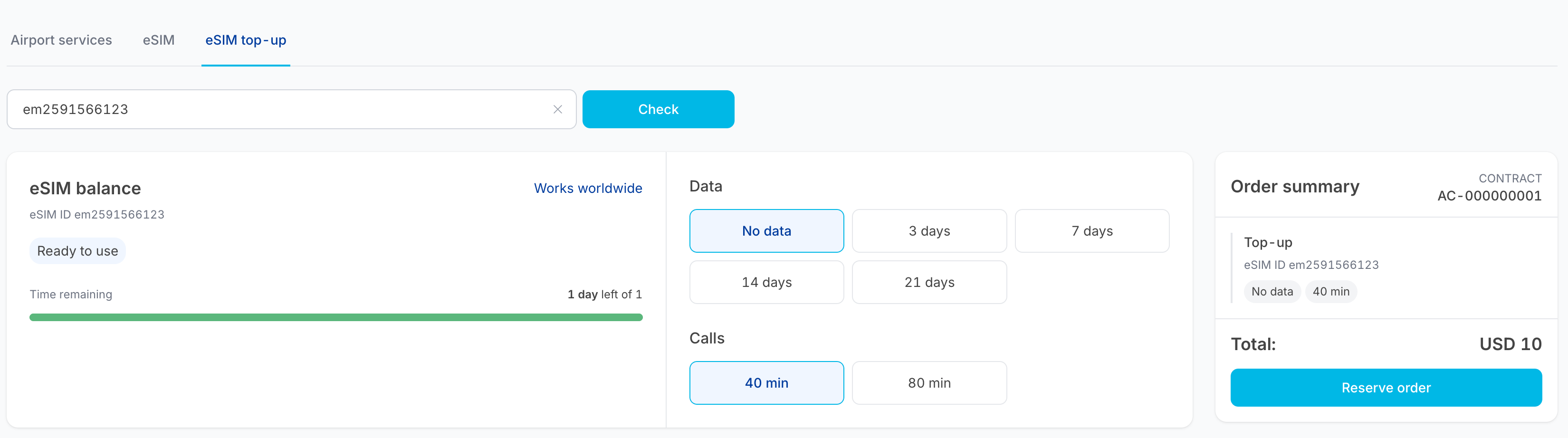
- Enter the eSIM ID number of the existing eSIM.
- Click Check.
- The available top-up packages for that eSIM are listed. Choose one and add it to the cart.
The eSIM ID (ICCID) is on the original order — see the ICCID and Short ICCID columns in Order items, or the order detail view in Orders.
Top-ups are tied to a specific eSIM. If the lookup returns nothing, check the ID against the order record, and check you are on the contract the eSIM was sold under.
Checkout
eSIM items go through the same checkout and payment as everything else. They do not ask for a visit date; they ask for the traveller's details and the delivery email.